How to create an ACI

This guide will walk you through the process of creating an ACI and submitting it for Importer Review on ACI Libya.
Go to aci.customs.gov.ly
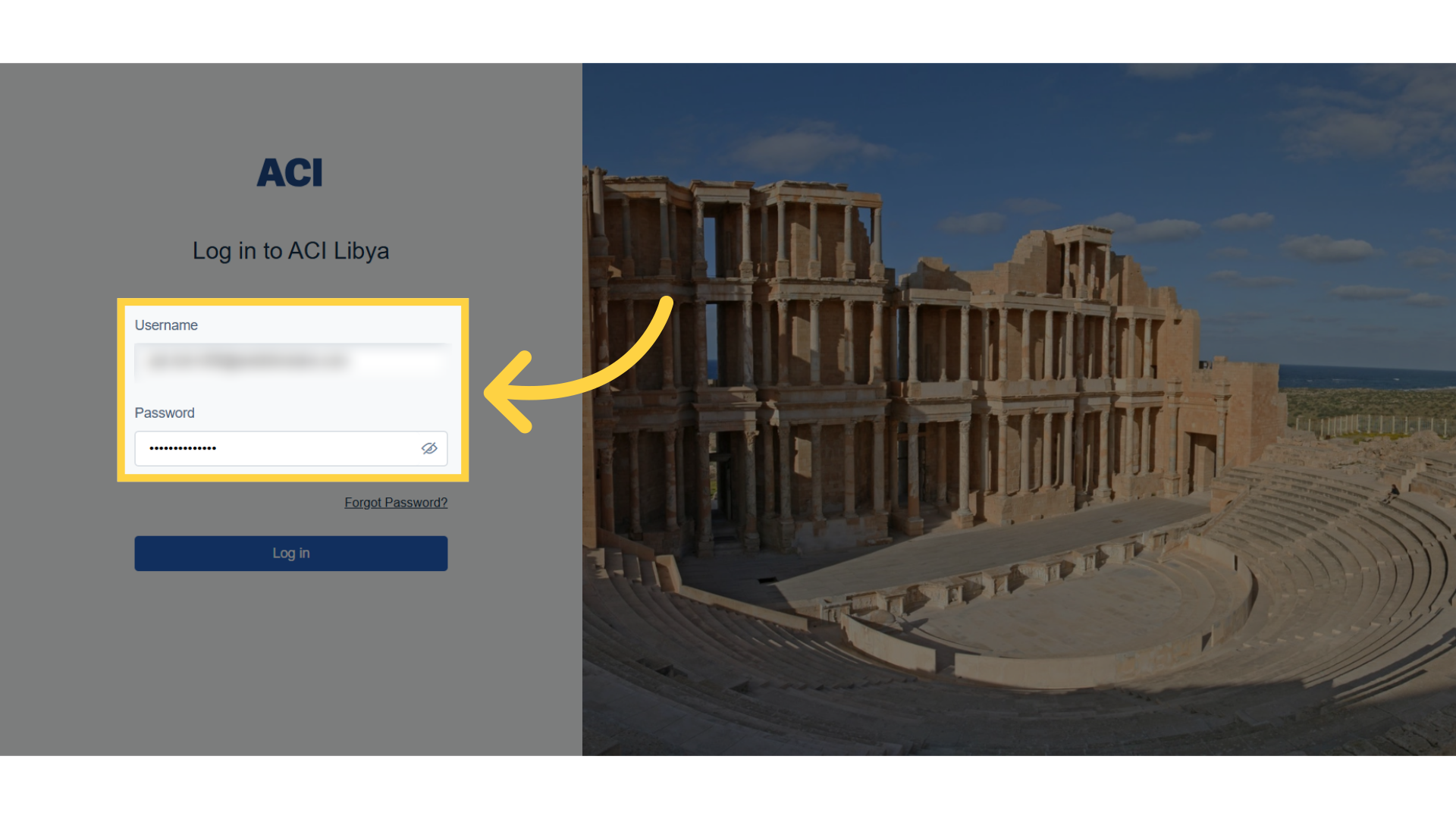
1. Login
The initial step is to access the ACI system using the exporter designated login credentials.
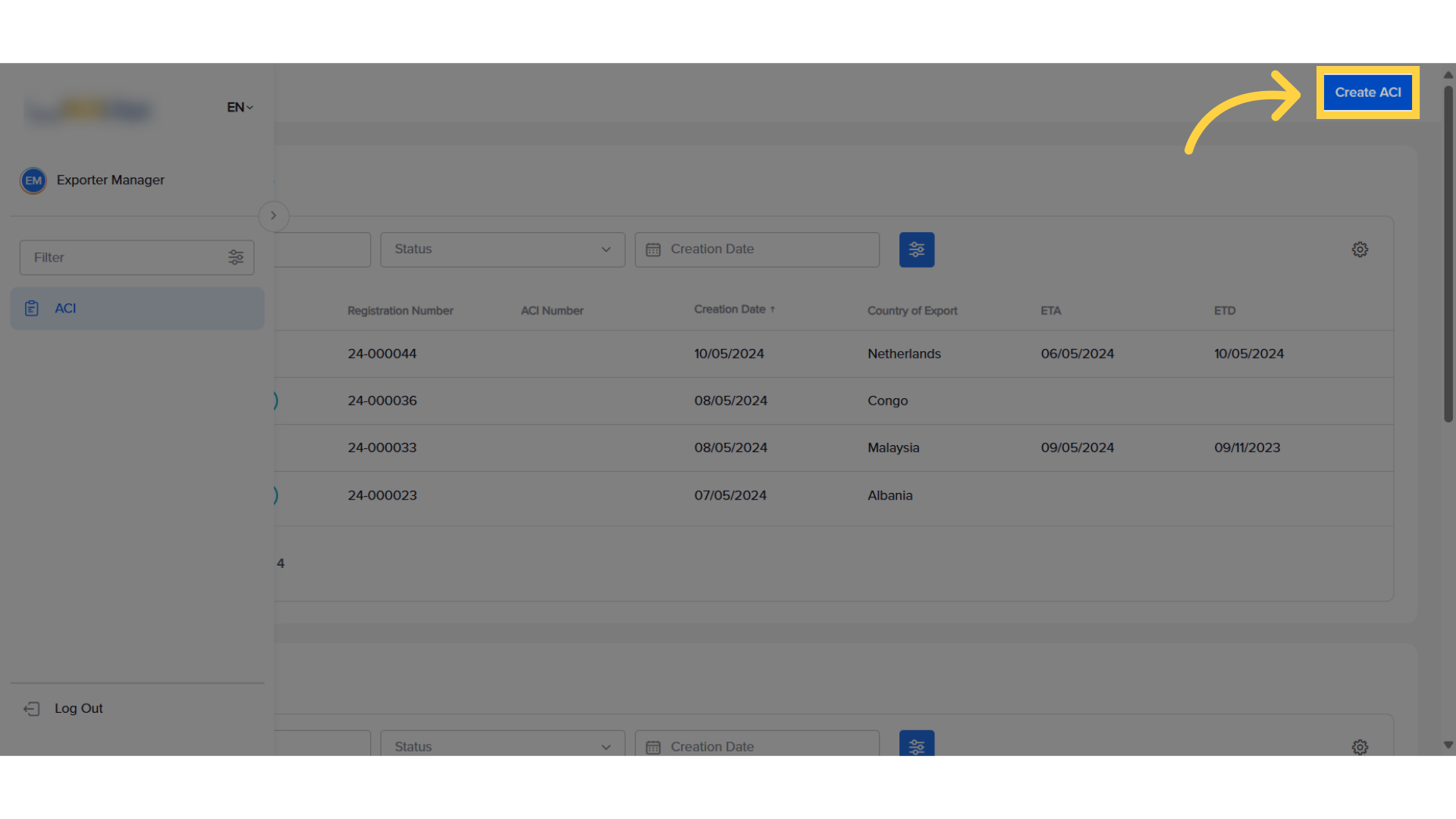
2. Create ACI
Subsequently, the exporter will click on the "Create ACI" option to initiate the entire process
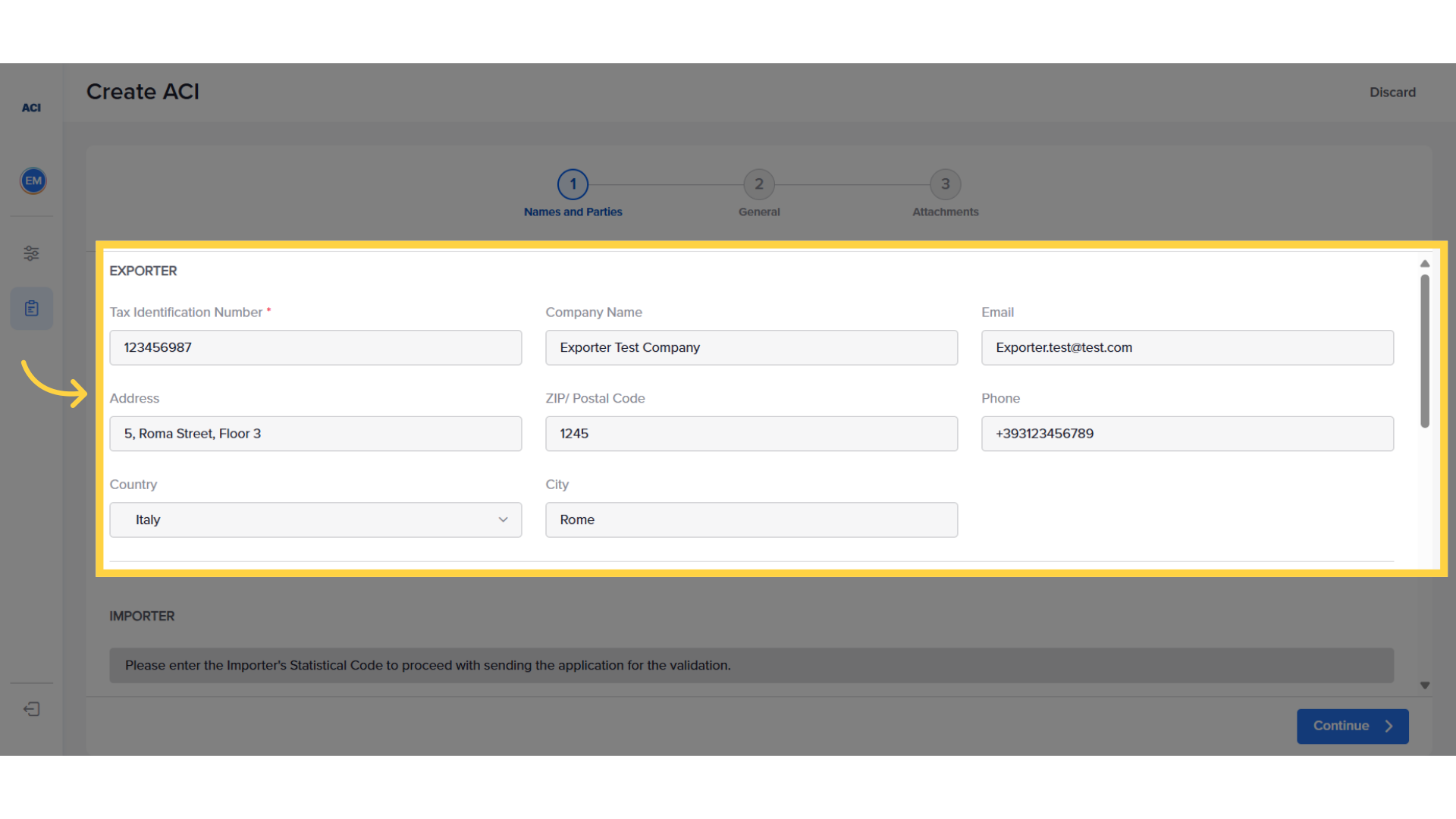
3. View Exporter Details
In the Names and Parties section, the exporter details will already be shown.
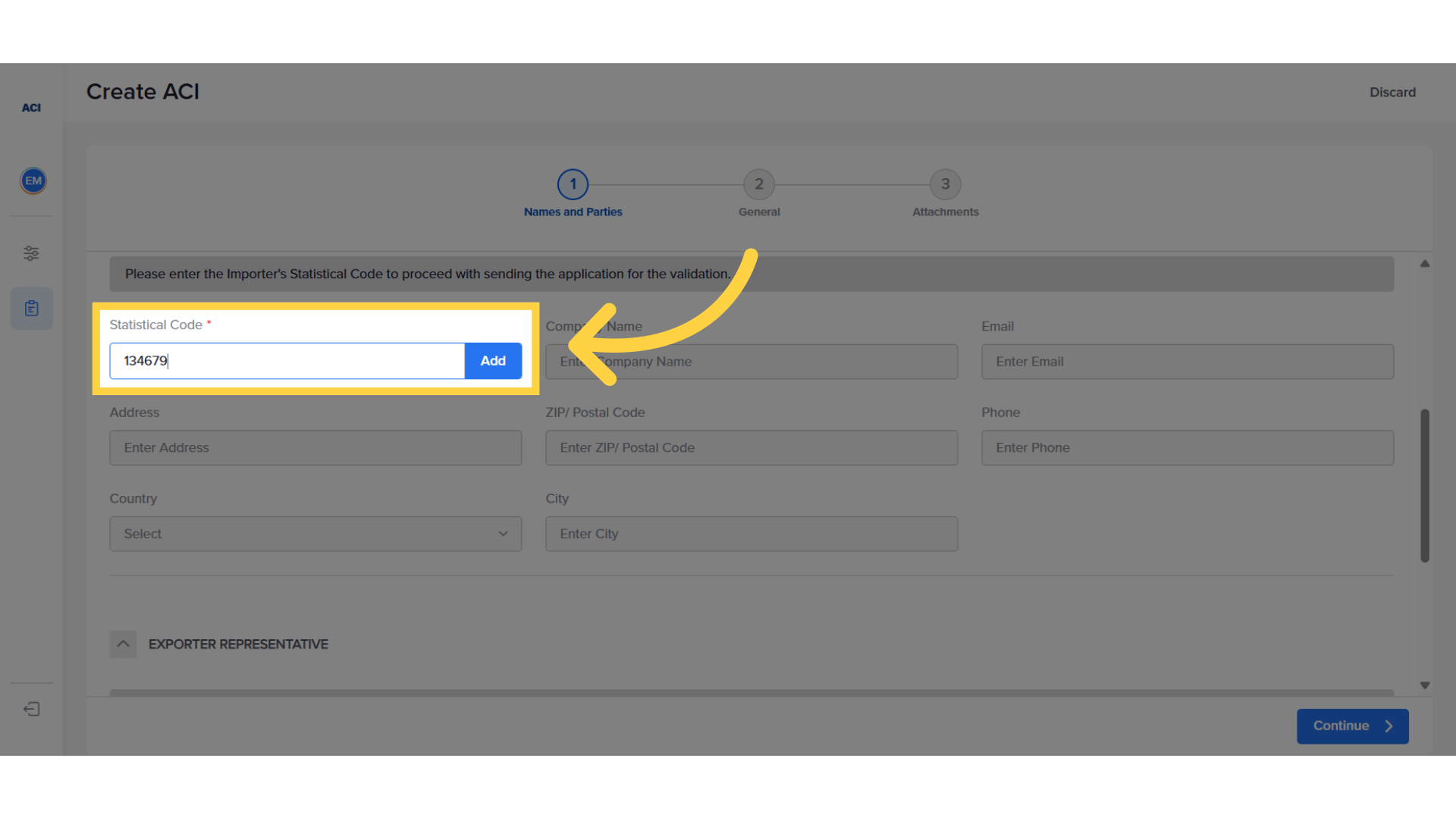
4. Retrieve Importer Details
The next step is for the exporter to enter the statistical code for the importer and click "Add" to reveal the details associated with the importer's registration. The statistical code can be retrieved from the importer and is the ID assigned to them by the Libyan Customs Authority.
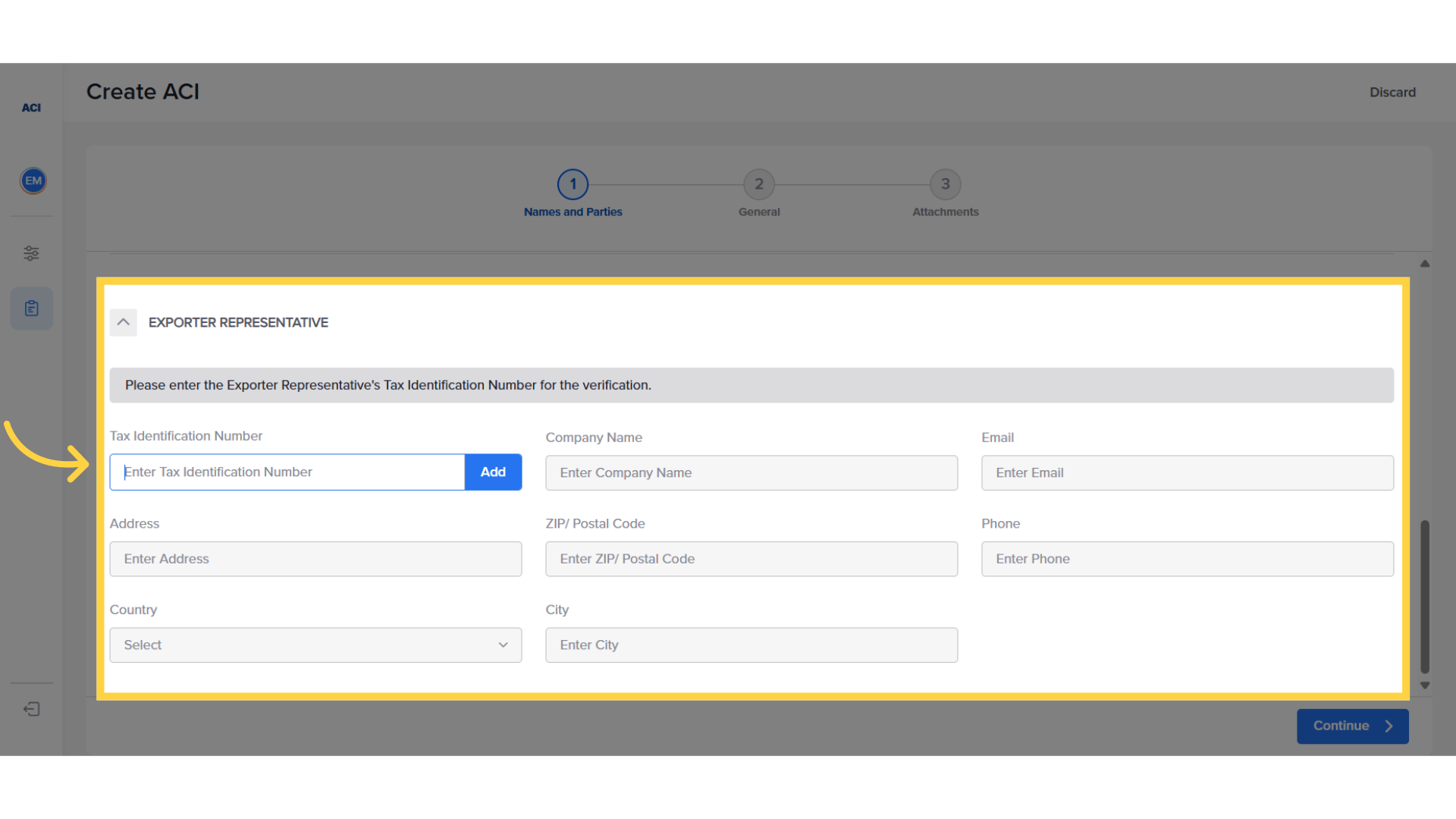
5. Exporter Representative option
If you are logged in as an exporter representative, you will need to add both the importer and exporter codes in order to proceed with the creation of the ACI. The Exporter code is the TIN number as defined in the registration system.
6. Continue to Next Step
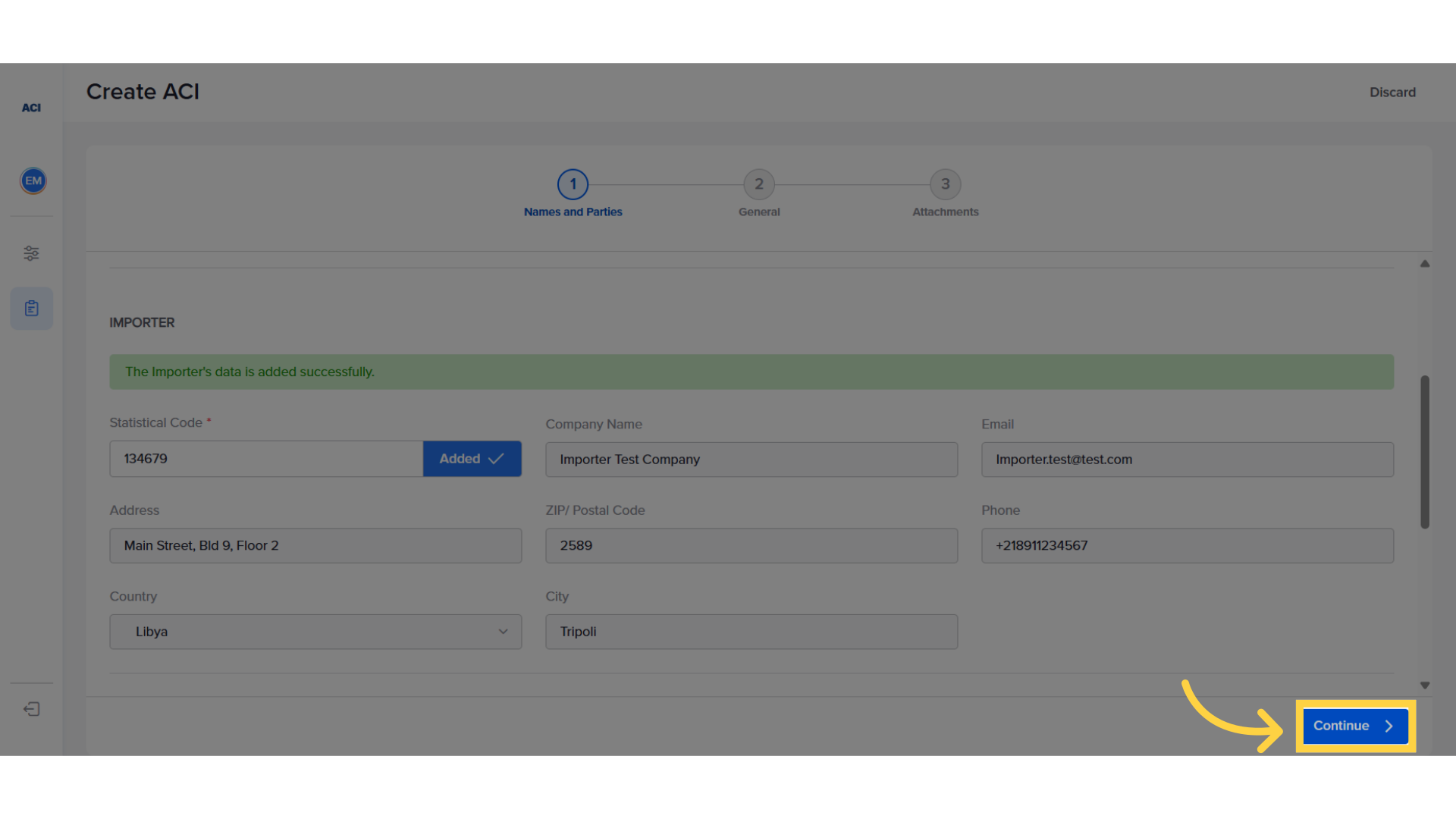
After both sets of details have been added and are visible in the system, the exporter can proceed by clicking on "Continue."
7. Fill "Required Information"
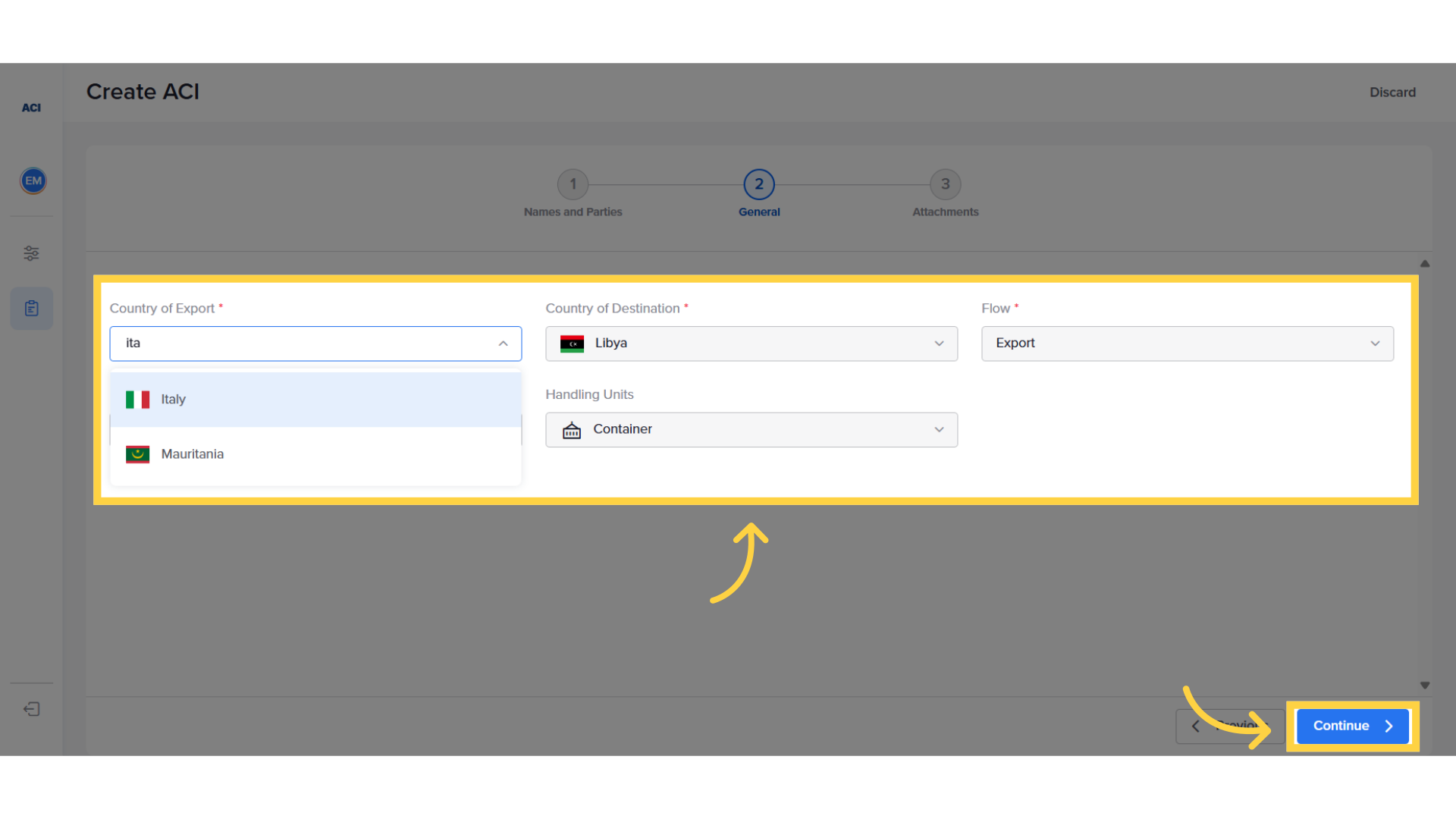
Afterwards in the General Section, fill in the required information and then click on "Continue."
8. Upload the Commercial Invoice
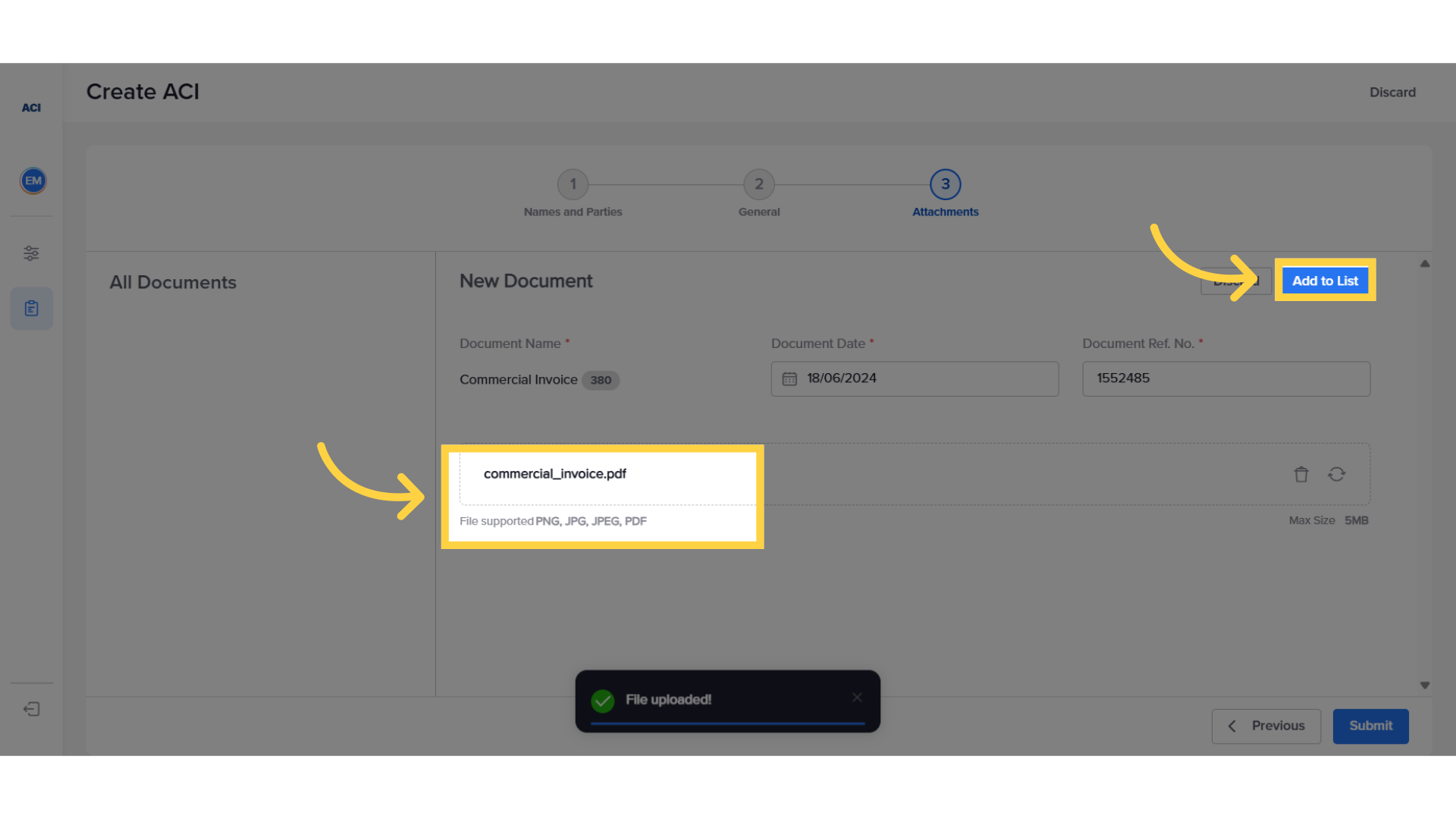
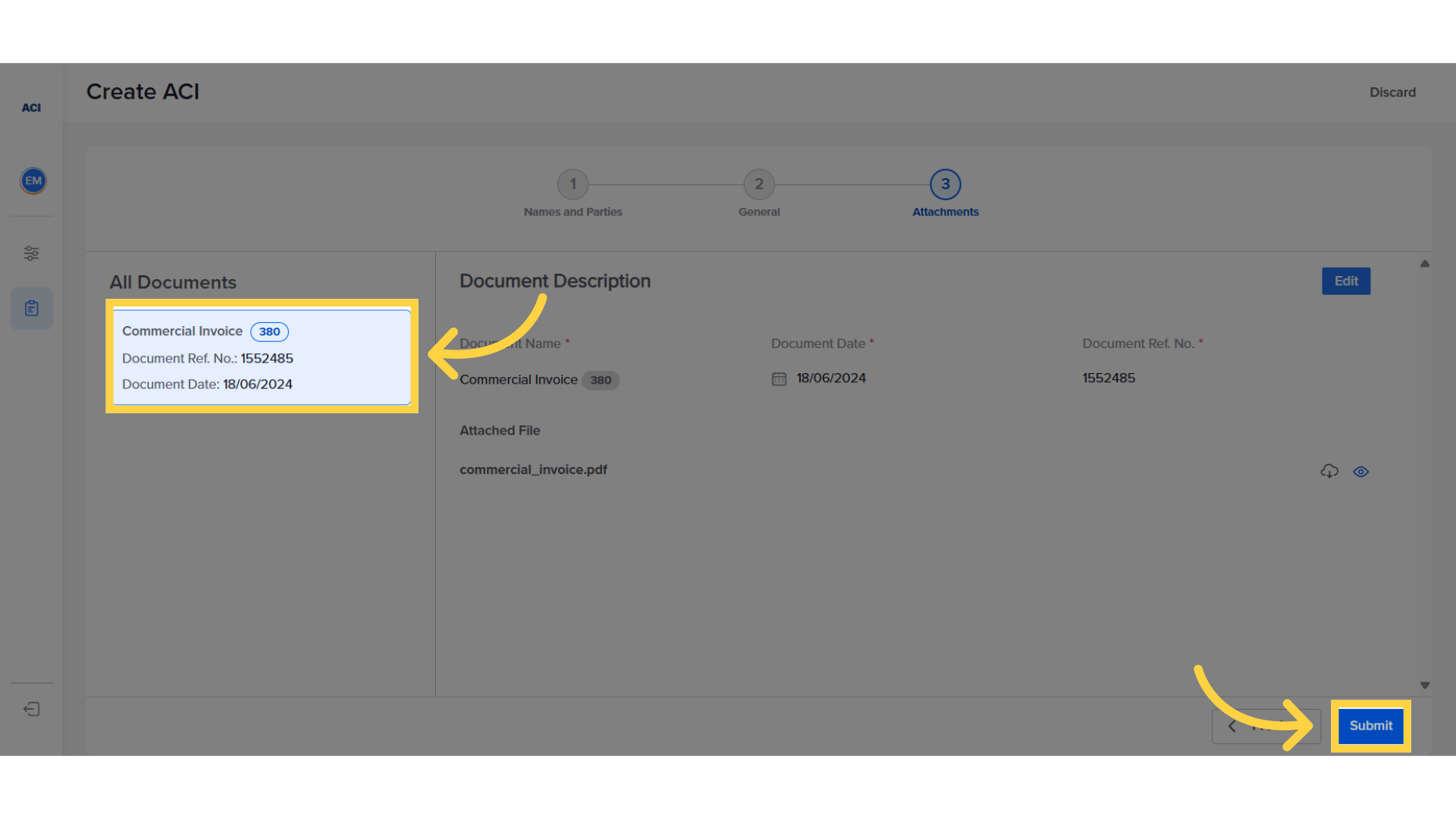
In the attachment section, the exporter should upload the commercial invoice and click on the "Add to List" option to display it in the system.
9. Submit the ACI
Once the commercial invoice has been uploaded and is visible on the left panel, click on the "Submit" button to proceed.
10. Email Verification
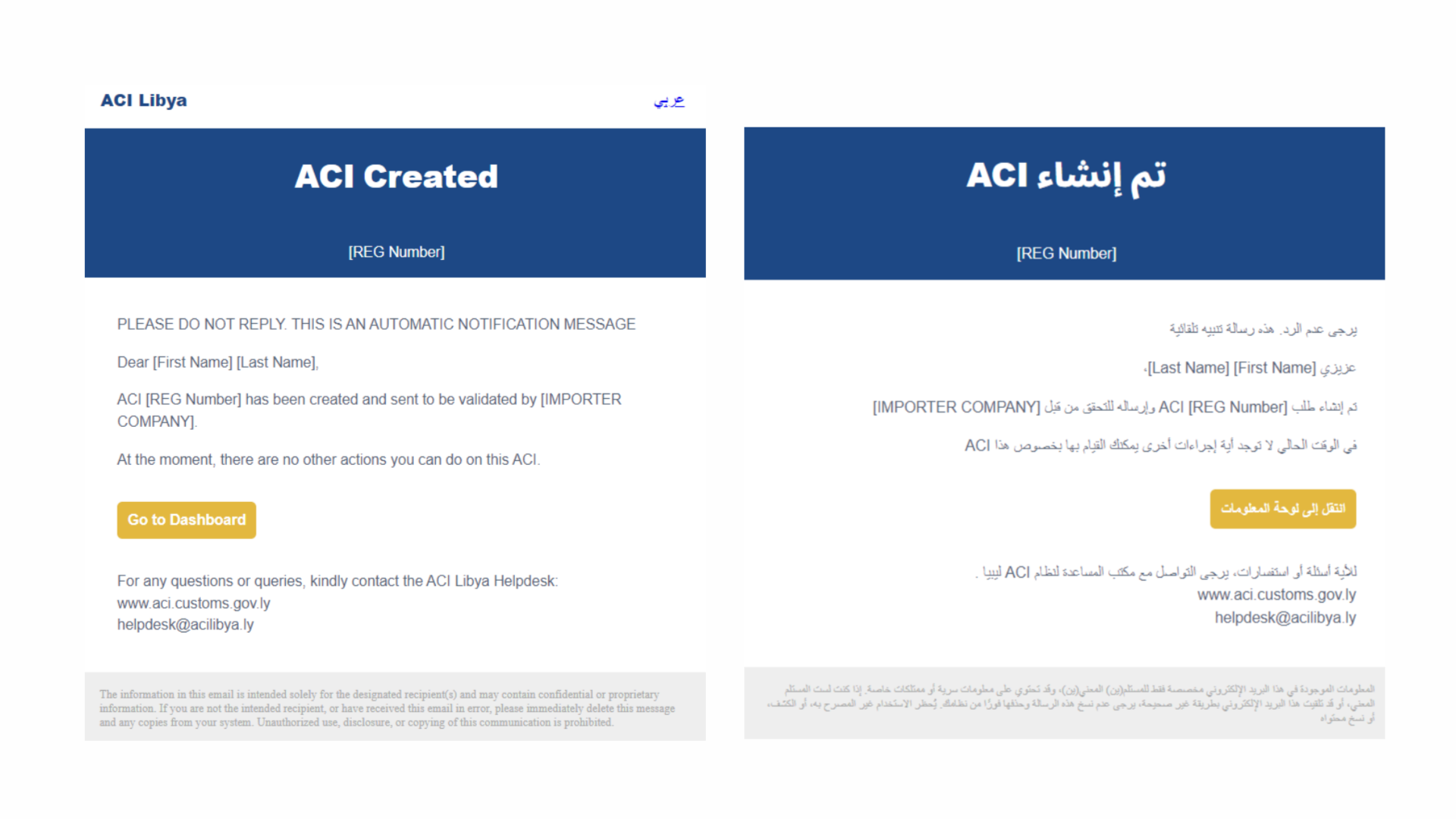
Upon submitting all the information, the ACI system triggers an email to both the exporter and the importer, notifying them that the ACI has been created. The next step is for the importer to view and validate the information.
This guide covered the necessary steps to create an ACI and submit it for Importer Review on ACI libya. For more information, please visit aci.customs.gov.ly
Related Articles
How fill complete ACI
Fill-in ACI after importer approval (Exporter) Click here to watch This guide will walk you through the necessary steps to fill in and submit the ACI on the ACI Libya platform. Go to aci.customs.gov.ly 1. Notification of importer validation The ...What to after ACI approval
Sharing the ACI with the shipping line and uploading the BOL (Exporter) Click here to watch This guide will walk you through the process of retrieving the approved ACI and sending it to the shipping line. Go to aci.customs.gov.ly 1. ACI Approval Once ...How to respond to a query
Respond to a query ( Exporter ) Click here to watch This guide will walk you through the process of responding to an officer's query. Go to aci.customs.gov.ly 1. ACI in query status In case the Officer finds any information that does not match or if ...