What to after ACI approval
This guide will walk you through the process of retrieving the approved ACI and sending it to the shipping line.
Go to aci.customs.gov.ly
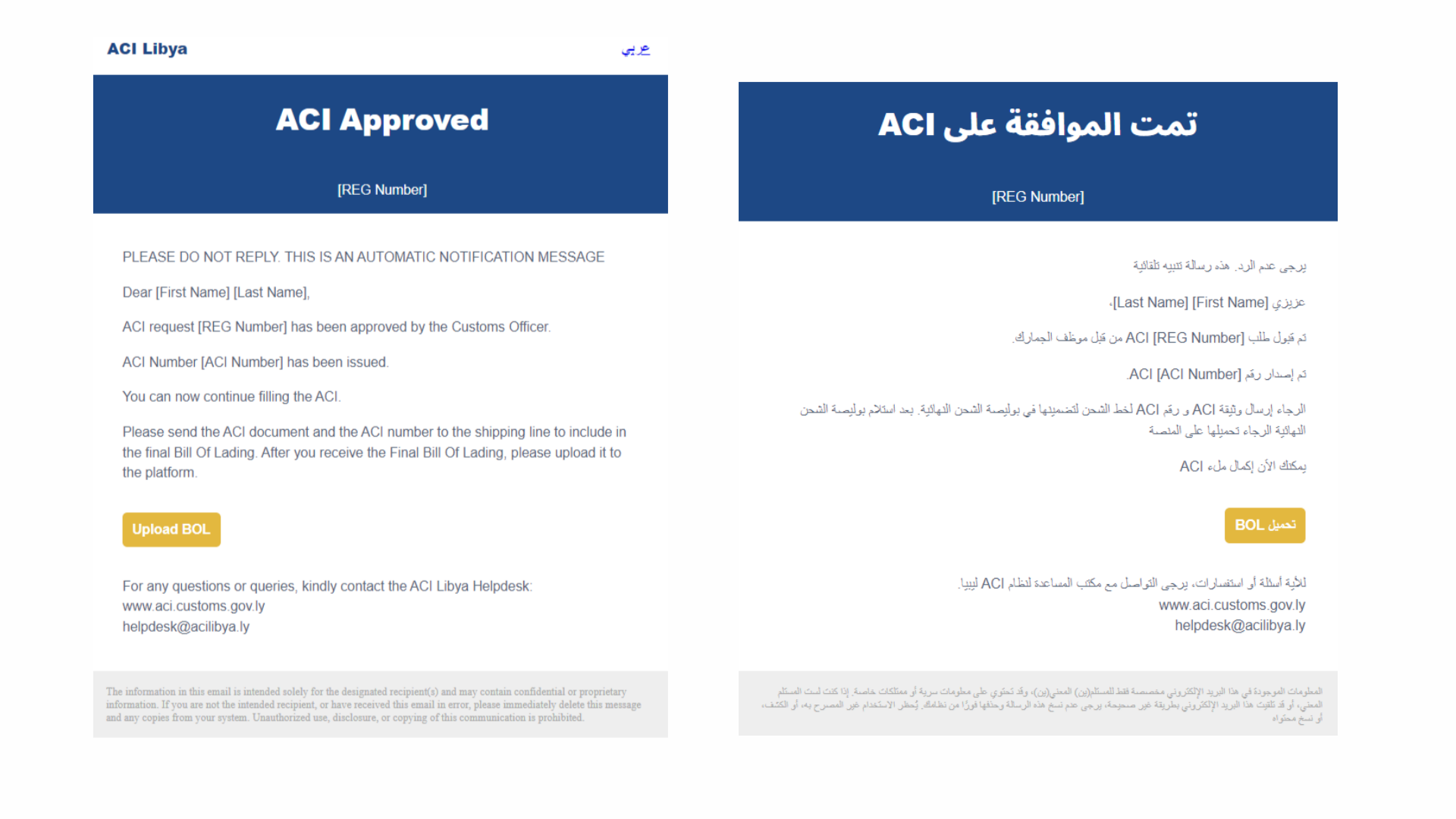
1. ACI Approval
Once the ACI is approved, the exporter will receive a notification email. The next step is to send the ACI report to the shipping line to allow for loading.
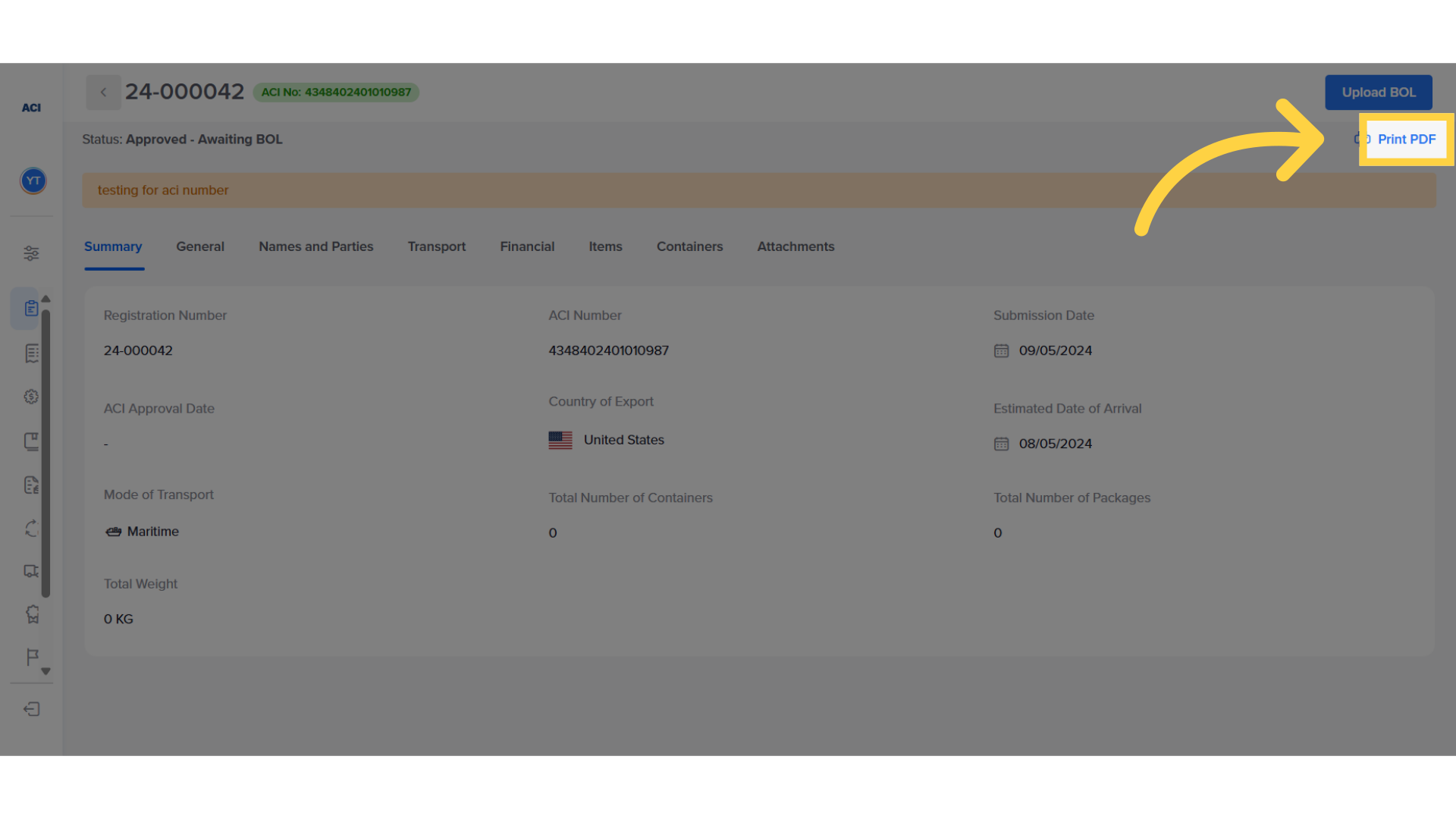
2. Click "Print PDF"
You can access the ACI printout from the ACI application by pressing on "Print PDF".
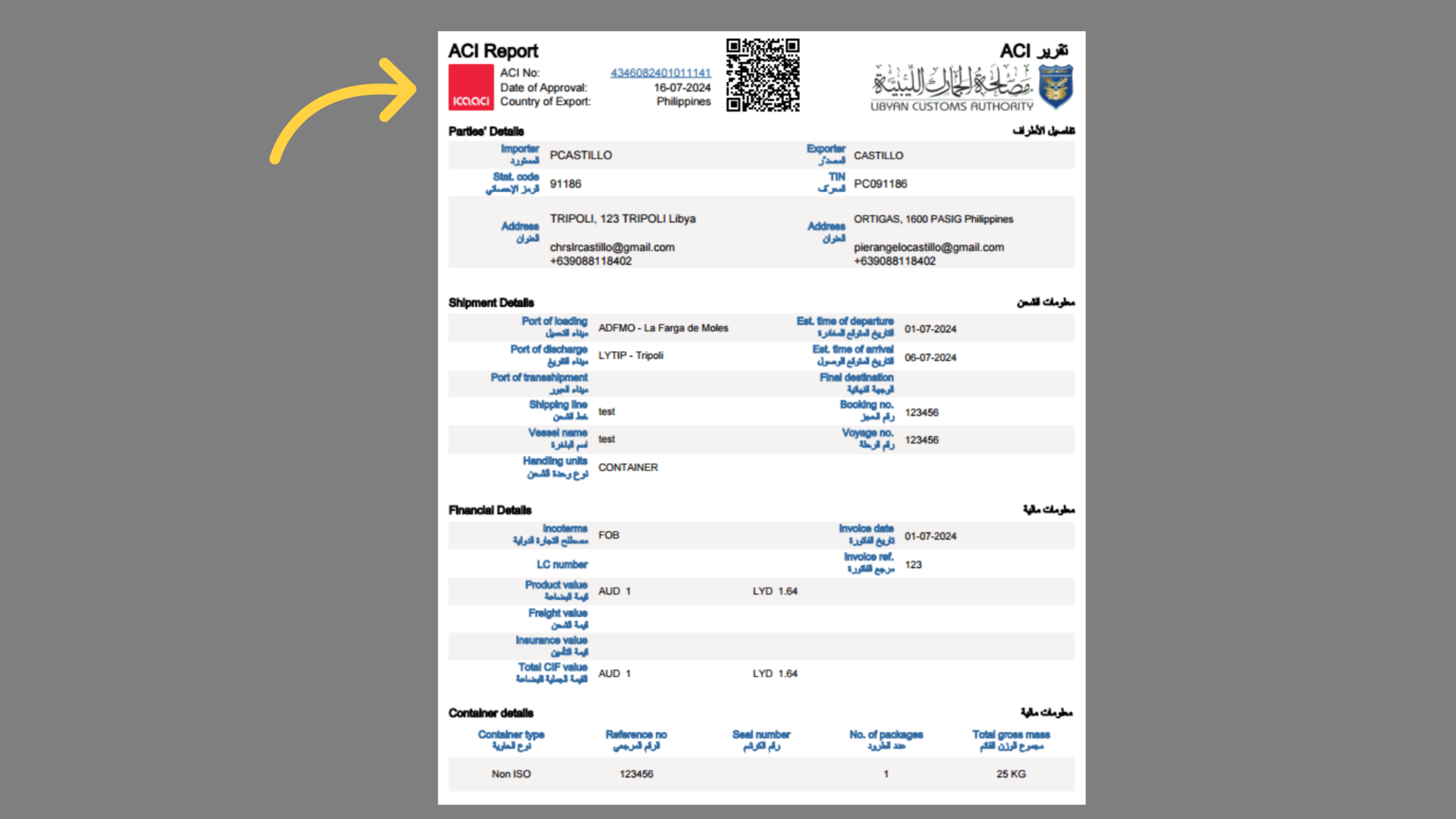
3. Send ACI report to shipping line
After receiving the ACI report, ensure that it is sent to the shipping line. The shipping line must include the ACI number in the final Bill of Lading. After receiving the final BL, the exporter should upload it on the same ACI application.
4. Receive final BOL and Upload it in the system
To upload the Bill of Lading, the exporter should access the ACI transaction from the ACI dashboard or from the email they previously received, and pressing on upload BOL.
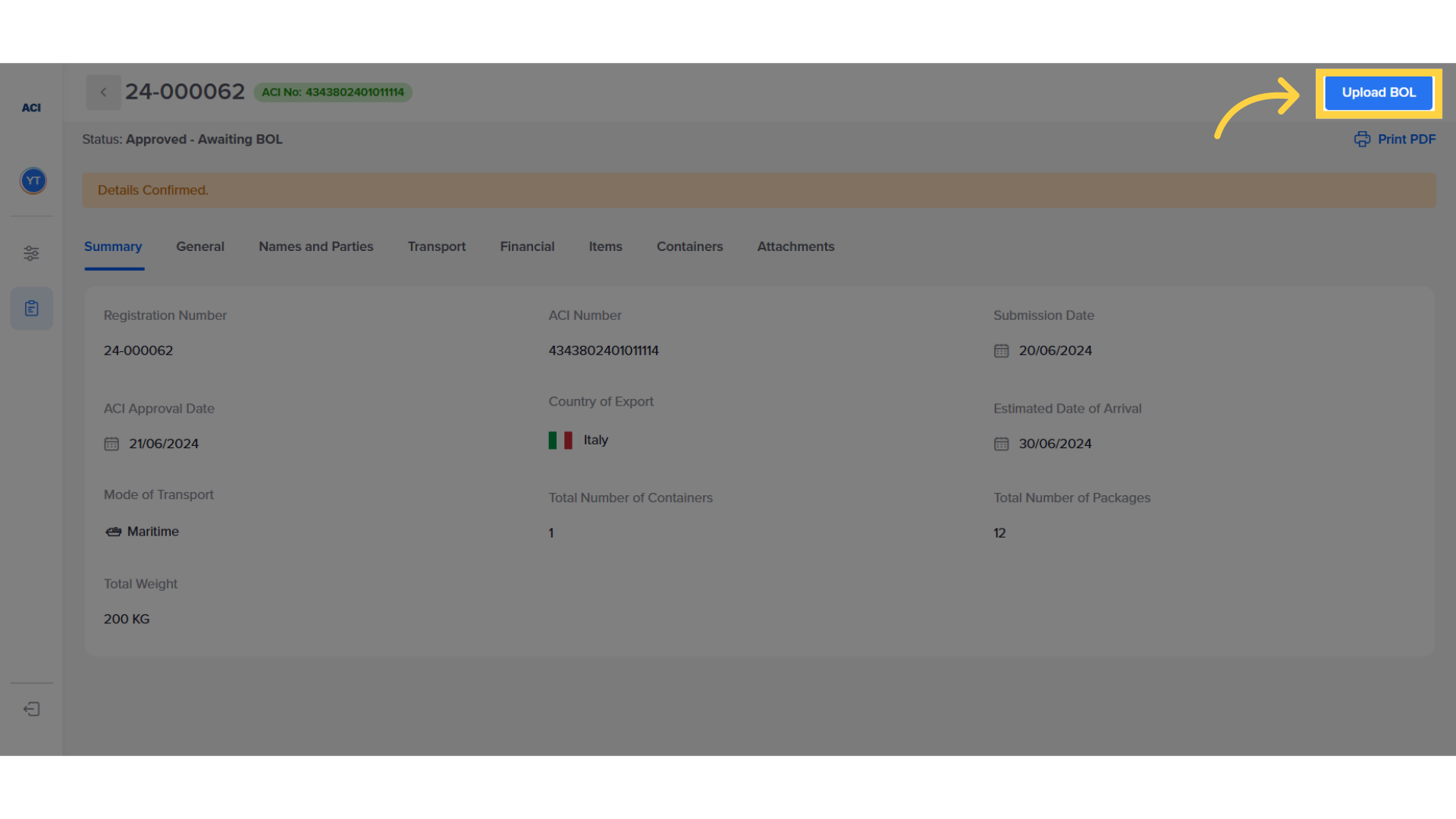
5. Add BOL details and submit
The exporter inserts the Bill of Lading details, attaches it, and then saves and submits the document.
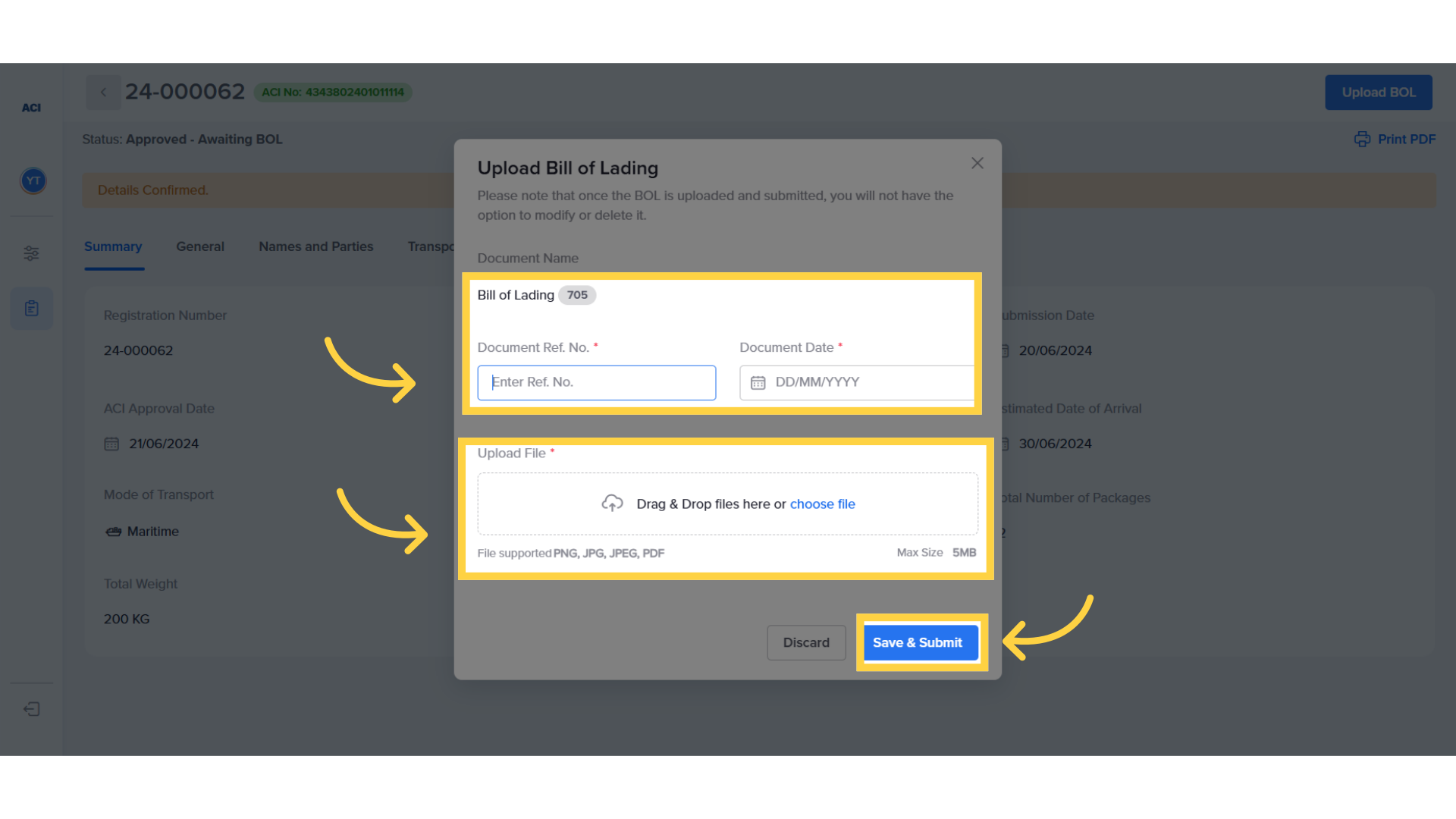
6. Wait for BOL confirmation or query
The system will indicate that the Bill of Lading is now being reviewed. The ACI Officer will review all details and open a query in case of any discrepancy, requesting the necessary adjustments.
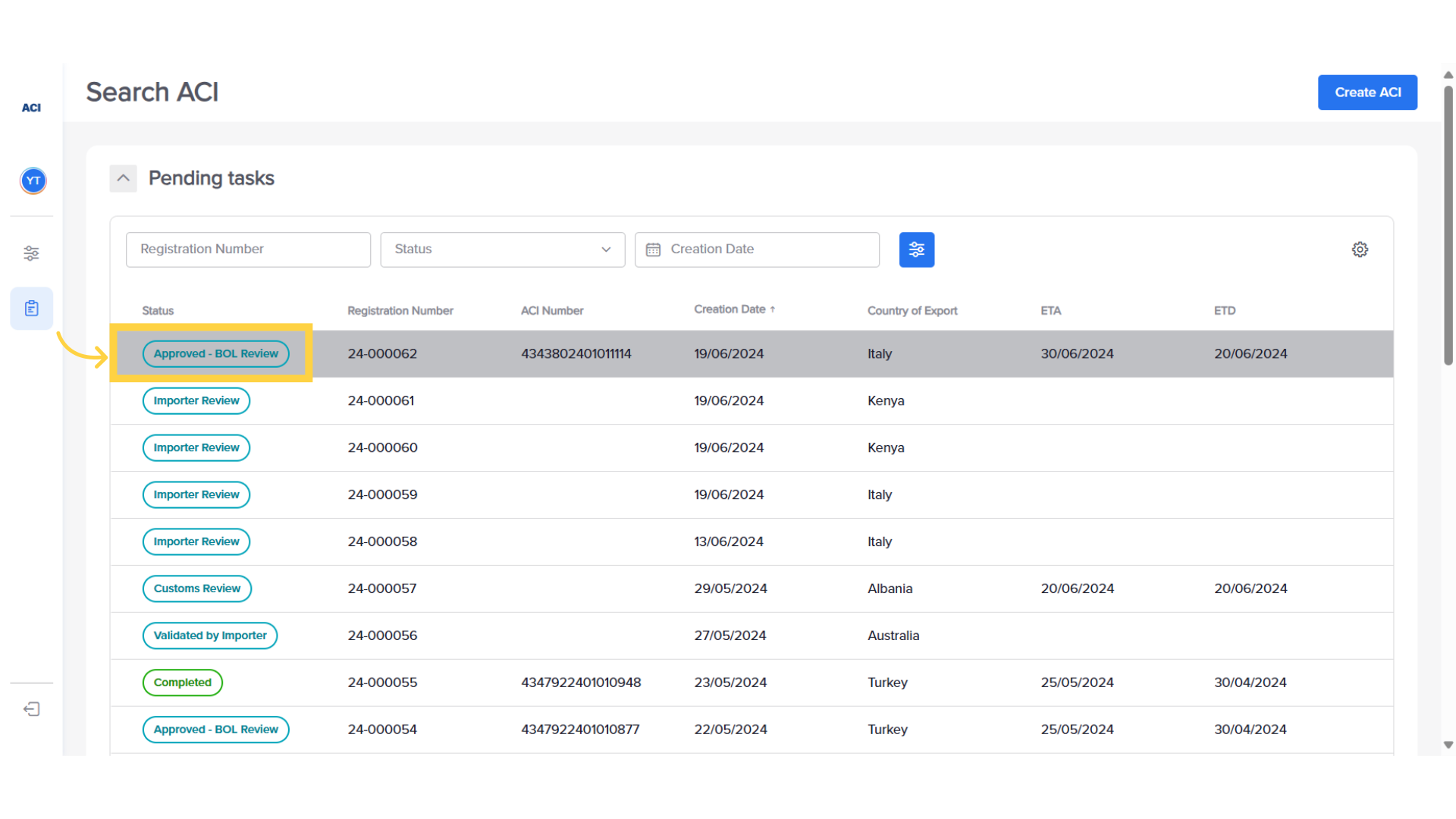
7. If queried, adjust and resubmit
If the Bill of Lading is queried, the exporter will receive an email notifying them and requesting them to adjust and resubmit.
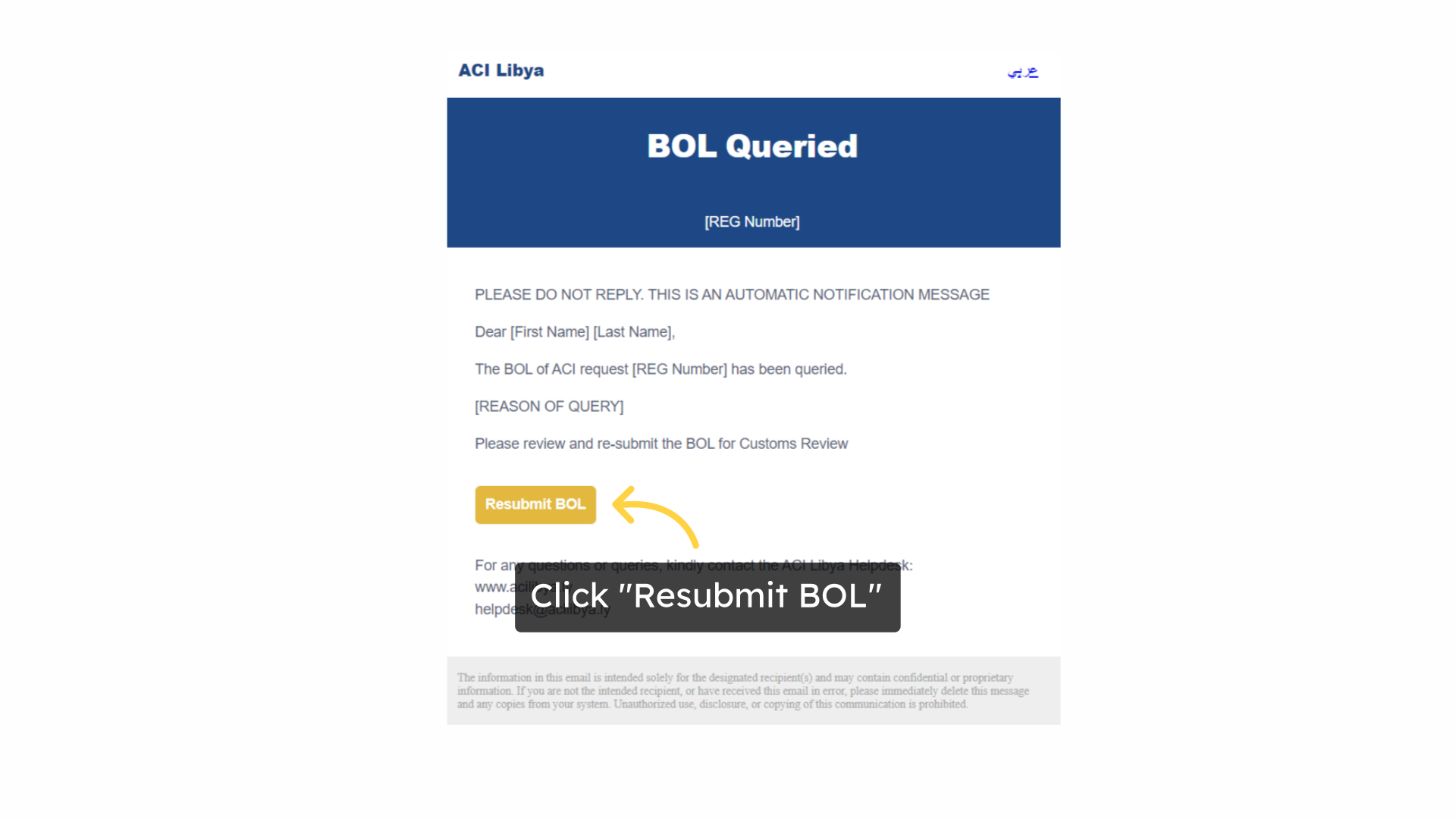
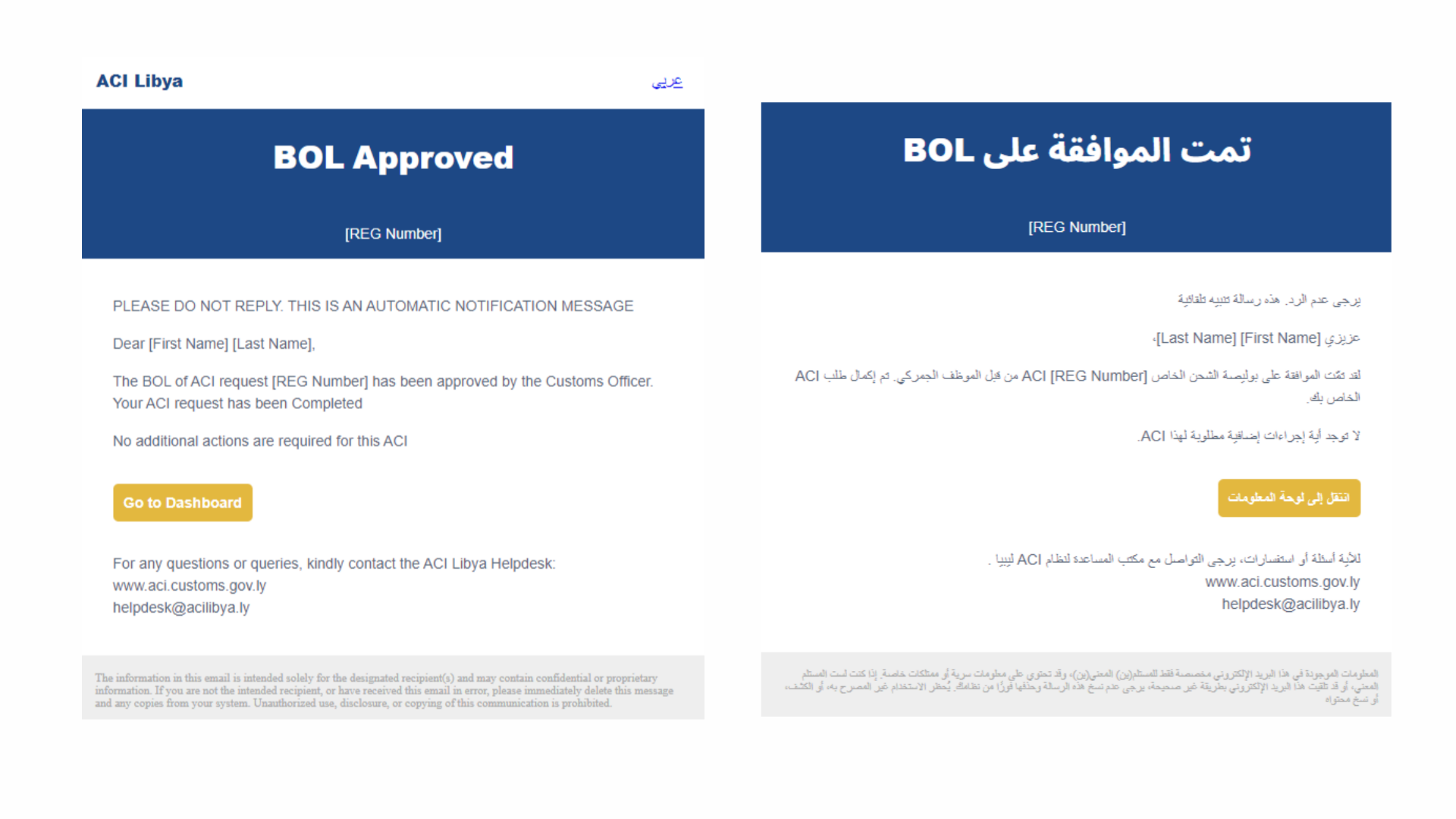
8. Email Confirmation
Once the Bill of Lading submission is approved, both the importer and exporter will receive an email notification. The ACI process is complete.
This guide covered the steps to follow to download the approved ACI report and upload the final Bill of Lading. For more information, please visit: aci.customs.gov.ly
Related Articles
How fill complete ACI
Fill-in ACI after importer approval (Exporter) Click here to watch This guide will walk you through the necessary steps to fill in and submit the ACI on the ACI Libya platform. Go to aci.customs.gov.ly 1. Notification of importer validation The ...How to create an ACI
How to Create an ACI ( Exporter ) Click here to watch This guide will walk you through the process of creating an ACI and submitting it for Importer Review on ACI Libya. Go to aci.customs.gov.ly 1. Login The initial step is to access the ACI system ...How to respond to a query
Respond to a query ( Exporter ) Click here to watch This guide will walk you through the process of responding to an officer's query. Go to aci.customs.gov.ly 1. ACI in query status In case the Officer finds any information that does not match or if ...